Migrate to Wi-Fi 7: Cut Latency by 40% in Your Home Network
Migrating your home network to Wi-Fi 7 significantly reduces latency by up to 40% across diverse multi-device ecosystems, delivering unparalleled speed, reliability, and efficiency for all your connected needs.
Are you ready to transform your digital experience? Learning How to Migrate Your Home Network to Wi-Fi 7 to Cut Latency by 40% Across Multi-Device Ecosystems is no longer just a luxury, but a necessity for the modern connected home. This guide will walk you through the journey to unlock unprecedented network performance.
Understanding Wi-Fi 7: The Next Evolution in Wireless Technology
Wi-Fi 7, officially known as 802.11be or Extremely High Throughput (EHT), represents a monumental leap forward in wireless communication. It’s designed to meet the escalating demands of our increasingly connected lives, offering substantial improvements over its predecessors, Wi-Fi 6 and Wi-Fi 6E. This new standard isn't just about raw speed; it's about intelligent efficiency, particularly in managing multi-device environments where congestion and latency have become persistent challenges.
The core philosophy behind Wi-Fi 7 is to maximize throughput and minimize latency, even when numerous devices are simultaneously competing for bandwidth. This is achieved through several innovative technologies that work in concert to create a more robust and responsive network. For homeowners, this translates into a tangible upgrade in daily internet use, from seamless 4K/8K streaming to lag-free online gaming and instantaneous smart home device control. The promise of a 40% reduction in latency is a game-changer, especially for applications where timing is critical.
Key Innovations Driving Wi-Fi 7 Performance
Wi-Fi 7 introduces a suite of advanced features that collectively deliver its superior performance. Understanding these innovations is crucial for appreciating the full scope of benefits your home network can gain from an upgrade.
- 320 MHz Channels: Wi-Fi 7 doubles the channel width of Wi-Fi 6E, allowing for significantly more data to be transmitted simultaneously. This wider highway for data is a primary contributor to its higher speeds.
- 4096-QAM (Quadrature Amplitude Modulation): This advanced modulation scheme packs more data into each signal, effectively increasing data rates by 20% compared to Wi-Fi 6E's 1024-QAM. It's like having a more efficient data compression method built directly into the wireless communication.
- Multi-Link Operation (MLO): Perhaps one of the most revolutionary features, MLO allows devices to send and receive data simultaneously across different frequency bands (2.4 GHz, 5 GHz, and 6 GHz). This creates a more resilient and faster connection, dynamically choosing the best path for data and significantly reducing latency and congestion.
- Preamble Puncturing: This feature allows Wi-Fi 7 to utilize more of the available spectrum by ignoring smaller, occupied portions of a channel. Instead of waiting for an entire channel to be clear, it can intelligently use the clear segments, improving efficiency in crowded environments.
These technological advancements are not merely incremental; they represent a fundamental rethinking of how wireless networks operate. By combining wider channels, more efficient data encoding, and intelligent multi-band utilization, Wi-Fi 7 is engineered from the ground up to deliver a truly next-generation wireless experience. This foundational understanding sets the stage for a smooth and effective migration.

Assessing Your Current Home Network and Devices
Before embarking on any upgrade, a thorough assessment of your existing home network infrastructure and connected devices is essential. This step helps identify bottlenecks, evaluate compatibility, and plan for a seamless transition to Wi-Fi 7. Understanding what you currently have will allow you to make informed decisions about what needs to be upgraded or replaced to fully capitalize on the benefits of the new standard.
Start by inventorying all your internet-connected devices. This includes everything from smartphones, laptops, and smart TVs to gaming consoles, smart home hubs, and IoT gadgets. Note their current Wi-Fi standards (e.g., Wi-Fi 5, Wi-Fi 6, Wi-Fi 6E). While Wi-Fi 7 is backward compatible, older devices won't be able to leverage its full capabilities. However, even they will benefit from a less congested and more efficient network overall.
Identifying Network Bottlenecks
Latency issues often stem from various points within your network, not just the Wi-Fi standard. A comprehensive assessment should look beyond just your router.
- Internet Service Provider (ISP) Speed: Ensure your ISP plan provides adequate bandwidth. A Wi-Fi 7 network cannot magically overcome a slow internet connection.
- Ethernet Backhaul: If you use a mesh system or extenders, consider if your backhaul connections are wired (Ethernet) or wireless. Wired backhaul significantly improves performance and reduces latency between nodes.
- Router Placement: The physical location of your current router can heavily impact signal strength and coverage. Obstacles like thick walls or large appliances can degrade performance.\
- Number of Devices: A high density of connected devices, especially those with high bandwidth demands (4K streaming, online gaming), can overwhelm older Wi-Fi standards.
By pinpointing these potential bottlenecks, you can develop a more strategic upgrade plan. For instance, if your ISP speed is a limiting factor, upgrading to Wi-Fi 7 without also upgrading your internet plan might not yield the desired latency reduction. Conversely, a robust Wi-Fi 7 setup can make the most of a high-speed internet connection.
Concluding this assessment phase, you should have a clear picture of your network's strengths and weaknesses. This groundwork is vital for selecting the right Wi-Fi 7 hardware and ensuring that your investment delivers the maximum possible return in terms of performance and latency reduction across your entire multi-device ecosystem.
Choosing the Right Wi-Fi 7 Hardware for Your Home
Selecting the appropriate Wi-Fi 7 hardware is the cornerstone of a successful migration. The market is rapidly expanding with new routers and mesh systems, each offering distinct features and catering to different home sizes and user needs. Making an informed choice will ensure you get the most out of the Wi-Fi 7 standard, specifically targeting that crucial 40% latency reduction across your diverse device ecosystem.
The primary piece of hardware you'll need is a Wi-Fi 7 compatible router or a mesh Wi-Fi system. For smaller homes or apartments, a single high-performance Wi-Fi 7 router might suffice. However, for larger homes, multi-story residences, or those with numerous dead zones, a Wi-Fi 7 mesh system is often the superior choice. Mesh systems use multiple nodes to create a unified network, extending coverage seamlessly and often improving overall performance and latency by providing closer access points to devices.

Router vs. Mesh System: Which is Right for You?
The decision between a standalone router and a mesh system largely depends on your home's layout and size, as well as the density of your connected devices.
- Standalone Wi-Fi 7 Router: Ideal for smaller spaces (up to 2000 sq ft) or users with fewer devices concentrated in one area. Look for models with strong processing power, multiple antennas, and advanced MLO capabilities to handle high bandwidth demands.\
- Wi-Fi 7 Mesh System: Best for larger homes (over 2000 sq ft), multi-story houses, or environments with many devices spread across different rooms. Mesh systems ensure consistent signal strength and lower latency by distributing Wi-Fi coverage more evenly. Many now offer dedicated backhaul bands or Ethernet ports for even better inter-node communication.
Beyond the core router or mesh system, consider other components. Do your main devices (gaming PCs, high-end laptops) support Wi-Fi 7? If not, you might consider upgrading their wireless adapters. USB Wi-Fi 7 adapters are becoming available, offering an easy upgrade path for compatible devices. Additionally, ensure your existing Ethernet cabling (if used for backhaul or wired connections) is at least Cat5e, with Cat6 or higher recommended for optimal performance with multi-gigabit speeds.
Ultimately, the right hardware will align with your specific needs, budget, and home environment. Researching reviews, comparing specifications, and understanding the unique features of different models will help you make an informed decision that maximizes your network's potential to cut latency and enhance overall performance.
The Migration Process: Step-by-Step Guide
Migrating your home network to Wi-Fi 7 doesn't have to be daunting. With a structured approach, you can transition smoothly and begin enjoying the benefits of reduced latency and enhanced performance. This step-by-step guide outlines the essential actions to take for a successful upgrade.
Before you begin, ensure you have all your new Wi-Fi 7 hardware unboxed and ready. It’s also a good practice to back up any critical router configurations if your old router has complex settings you wish to replicate. While most home users won't need this, it's a worthwhile consideration for advanced setups.
Key Steps for a Smooth Wi-Fi 7 Transition
- Disconnect Old Equipment: Power down and disconnect your old router or mesh system. While you might keep it as a backup, it's best to start fresh to avoid any potential network conflicts.
- Install Your New Wi-Fi 7 Router/Mesh System: Place your new Wi-Fi 7 router in a central location, ideally high up and away from obstructions. If using a mesh system, follow the manufacturer's instructions for setting up the main node first, then strategically place satellite nodes to ensure optimal coverage.
- Initial Configuration: Connect your computer directly to the new router via Ethernet for the initial setup. Access the router's web interface (usually via an IP address like 192.168.1.1 or a dedicated app) and follow the setup wizard.
- Configure Network Settings: Set up your Wi-Fi network name (SSID) and password. Consider using different SSIDs for the 2.4 GHz, 5 GHz, and 6 GHz bands initially to understand which devices connect to which band, though many Wi-Fi 7 routers offer smart steering that automatically manages this.
- Update Firmware: Immediately check for and install any available firmware updates for your new Wi-Fi 7 hardware. Manufacturers frequently release updates that improve performance, stability, and security.
- Connect Devices: Begin connecting your Wi-Fi 7 compatible devices first to experience the full benefits. Then, connect your older Wi-Fi 6/6E/5 devices. Observe how they connect and perform.
After connecting all your devices, perform speed tests and latency checks across different devices and locations in your home. This will help confirm that your migration has been successful and that you are indeed experiencing the promised latency reduction. Don't forget to test bandwidth-intensive applications like 4K streaming and online gaming.
The migration process is a critical phase, and taking your time to configure everything correctly will prevent future frustrations. A well-executed setup ensures that your investment in Wi-Fi 7 translates directly into a superior, low-latency home network experience.
Optimizing Your Wi-Fi 7 Network for Peak Performance
Simply installing Wi-Fi 7 hardware is a significant step, but true peak performance and the maximum latency reduction come from careful optimization. A well-optimized Wi-Fi 7 network is not just fast; it's intelligently configured to handle the unique demands of your multi-device ecosystem, ensuring every device gets the bandwidth and low latency it needs.
Optimization involves a combination of settings adjustments, strategic device placement, and understanding how your specific devices interact with the network. The goal is to fine-tune your setup to leverage Wi-Fi 7's advanced features fully, ensuring that the promised 40% latency cut is a consistent reality, not just a theoretical benefit.
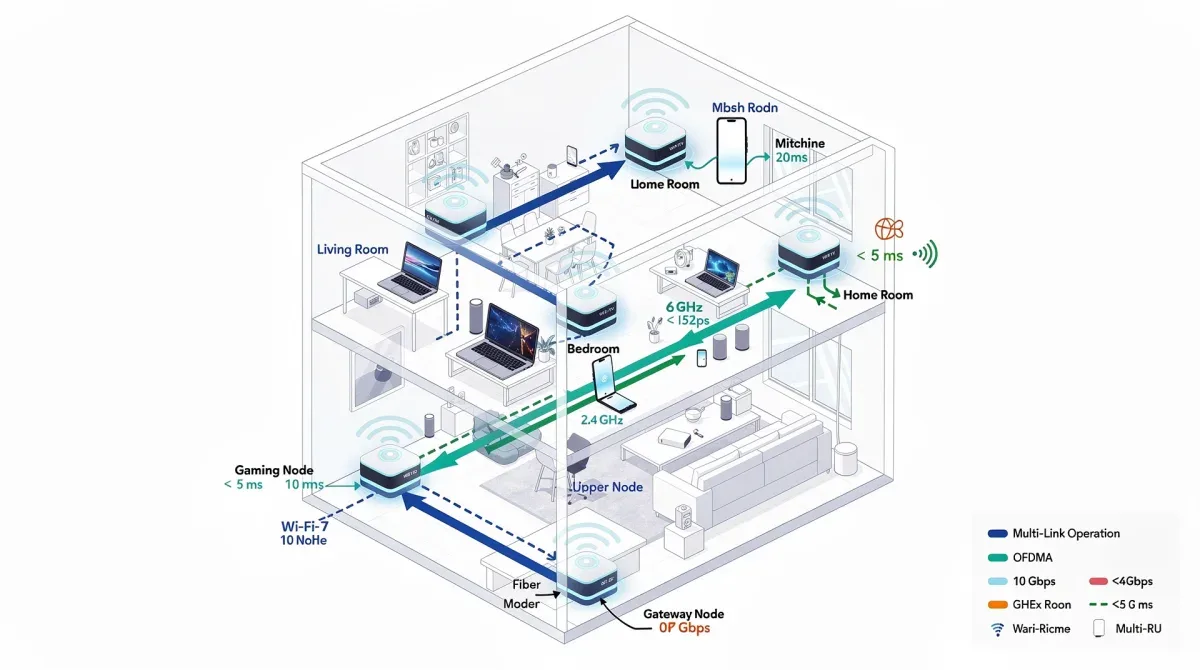
Advanced Optimization Strategies
- Prioritize Critical Devices with QoS: Utilize Quality of Service (QoS) settings on your Wi-Fi 7 router to prioritize bandwidth for latency-sensitive applications or devices, such as gaming consoles, streaming boxes, or work-from-home computers. This ensures they receive preferential treatment, even during network congestion.
- Leverage 6 GHz Band: Actively encourage your Wi-Fi 7 compatible devices to connect to the 6 GHz band. This band is largely uncongested, providing a clean, wide-open highway for data with significantly lower interference and, consequently, lower latency.
- Enable MLO and Preamble Puncturing: Ensure these advanced Wi-Fi 7 features are enabled in your router's settings. While often on by default, confirming their activation ensures your network is using all available tools to optimize data transmission and reduce latency.
- Strategic Router/Node Placement: Re-evaluate the physical placement of your router and any mesh nodes. Use a Wi-Fi analyzer app on your smartphone to identify signal dead zones or areas with weak coverage. Adjust placement to ensure strong, consistent signals across your entire home.
- Minimize Interference: Identify and mitigate sources of interference. This could include microwave ovens, cordless phones, or even neighboring Wi-Fi networks. While Wi-Fi 7 is more resilient, reducing interference where possible always helps.
- Regular Firmware Updates: Continue to monitor and apply firmware updates for your Wi-Fi 7 hardware. These updates often include performance enhancements, bug fixes, and security patches that contribute to a more stable and optimized network.
By proactively managing these aspects, you can significantly enhance your Wi-Fi 7 network's performance. The cumulative effect of these optimizations ensures that your home network not only benefits from the raw speed of Wi-Fi 7 but also from its intelligent design, leading to a consistently low-latency and highly responsive experience across all your devices.
Real-World Benefits: Gaming, Streaming, and Smart Home
The theoretical advantages of Wi-Fi 7 translate into tangible, significant improvements in everyday digital experiences. For the modern American home, where multiple devices simultaneously demand high bandwidth and low latency, Wi-Fi 7 is not just an upgrade; it's a transformation. The promise to cut latency by 40% across multi-device ecosystems directly addresses the pain points of buffering, lag, and unresponsive smart home devices.
Consider the gaming community. Latency, often referred to as ping, is the nemesis of competitive online gaming. Even milliseconds can dictate victory or defeat. With Wi-Fi 7, gamers will experience a dramatic reduction in input lag and server response times, leading to a smoother, more immersive, and fairer gaming experience. This applies whether you're on a PC, console, or even cloud gaming platforms, where network responsiveness is paramount.
Transforming Your Digital Life
- Uninterrupted 4K/8K Streaming: Say goodbye to buffering. Wi-Fi 7's increased throughput and efficient band management mean multiple users can stream ultra-high-definition content simultaneously without degradation in quality.
- Seamless VR/AR Experiences: Virtual and augmented reality applications are incredibly sensitive to latency. Wi-Fi 7 provides the low-latency, high-bandwidth connection needed for truly immersive and comfortable VR/AR, reducing motion sickness and enhancing responsiveness.
- Responsive Smart Home: Smart home devices often suffer from delays, especially when multiple commands are issued simultaneously. Wi-Fi 7 ensures instantaneous responses from smart lights, thermostats, security cameras, and voice assistants, creating a truly intelligent and responsive home environment.
- Enhanced Video Conferencing: For remote work and learning, stable, low-latency video calls are critical. Wi-Fi 7 minimizes dropped frames and audio delays, leading to clearer, more professional virtual interactions.
- Future-Proofing Your Home: As new technologies emerge that demand even more from our networks, Wi-Fi 7 provides a robust foundation. Investing now ensures your home is ready for the next wave of innovation without immediate need for further upgrades.
The cumulative effect of these benefits is a home network that simply works better. It's a network that disappears into the background, allowing you to focus on your activities without the frustration of connectivity issues. From high-stakes gaming to critical work calls and effortless smart home control, Wi-Fi 7 elevates every aspect of your connected life by delivering consistent, low-latency performance.
Future-Proofing Your Home with Wi-Fi 7
Investing in Wi-Fi 7 is not just about solving today's network problems; it's a strategic move to future-proof your home against the ever-increasing demands of digital life. As technology evolves, our reliance on robust, low-latency connectivity will only grow. Migrating to Wi-Fi 7 positions your home network at the forefront of wireless innovation, ensuring it remains capable and competitive for years to come.
Consider the trajectory of technological advancement. Each new generation of devices, from smart appliances to advanced robotics and sophisticated IoT sensors, requires more bandwidth and more responsive communication. Wi-Fi 7, with its unprecedented capacity for extremely high throughput and its intelligent latency management, is built precisely for this future. It anticipates the needs of emerging applications that we can only begin to imagine today.
The Long-Term Value of a Wi-Fi 7 Upgrade
- Scalability: Wi-Fi 7 networks are inherently more scalable. They can efficiently handle a greater number of devices and higher bandwidth demands without suffering from the performance degradation seen in older standards. This means you can add more smart devices or upgrade your internet plan without immediately needing another network overhaul.
- Evolving Standards: While Wi-Fi 7 is the latest, its foundational technologies like MLO and wider channels are designed with future enhancements in mind. This makes it a more adaptable platform for potential software-driven improvements and compatibility with future iterations of wireless tech.
- Increased Home Value: In an increasingly connected world, a state-of-the-art home network can be an attractive feature for potential homebuyers. It signifies a modern, technologically advanced property ready for the digital age.
- Reduced Frustration and Downtime: A future-proof network means fewer instances of lag, buffering, and connectivity issues. This translates into less frustration for household members and more productive use of time, whether for work, entertainment, or education.
By making the investment in Wi-Fi 7 now, you are not just buying a new router; you are investing in a seamless, efficient, and highly responsive digital ecosystem for your home. It’s about ensuring that as your digital lifestyle evolves, your network infrastructure is always a step ahead, ready to support every new device and application without compromise, and continuously delivering that critical 40% latency reduction.
| Key Aspect | Description & Benefit |
|---|---|
| Latency Reduction | Wi-Fi 7 cuts latency by 40%, enhancing real-time applications like gaming and VR. |
| Multi-Link Operation (MLO) | Allows devices to use multiple bands simultaneously for improved speed and reliability. |
| 320 MHz Channels | Doubles channel width for higher data throughput and faster speeds, especially on 6 GHz. |
| Future-Proofing | Prepares your home network for future high-bandwidth and low-latency device demands. |
Frequently asked questions about Wi-Fi 7 migration
What is the primary benefit of migrating to Wi-Fi 7 for my home network?▼The primary benefit is a significant reduction in network latency, potentially up to 40%, across all your connected devices. This leads to smoother online gaming, buffer-free 4K/8K streaming, and more responsive smart home device control, enhancing your overall digital experience.
Do all my devices need to be Wi-Fi 7 compatible to see benefits?▼While only Wi-Fi 7 compatible devices will leverage the full speed and latency improvements, older devices will still benefit from a less congested and more efficiently managed network. Wi-Fi 7's intelligent traffic handling improves overall network performance for everyone.
What is Multi-Link Operation (MLO) and why is it important for Wi-Fi 7?▼MLO allows devices to transmit and receive data simultaneously across multiple frequency bands (2.4, 5, and 6 GHz). This innovative feature creates a more robust and faster connection, dynamically choosing the best path, which is crucial for reducing latency and congestion.
Is upgrading to Wi-Fi 7 expensive, and is it worth the investment?▼Initial Wi-Fi 7 hardware can be an investment, but its value lies in future-proofing your home network. For users with multiple high-bandwidth devices, gamers, and smart home enthusiasts, the significant performance boost and latency reduction make it a worthwhile investment.
How can I optimize my Wi-Fi 7 network after installation?▼Optimize by using QoS settings to prioritize critical devices, encouraging Wi-Fi 7 devices to use the 6 GHz band, ensuring MLO is enabled, strategically placing your router or mesh nodes, and regularly updating firmware. These steps maximize performance and latency reduction.
Conclusion
Migrating your home network to Wi-Fi 7 is more than just an upgrade; it's an investment in a superior digital future. By embracing this advanced wireless standard, you unlock the potential to cut latency by 40% across multi-device ecosystems, transforming everything from online gaming and 4K streaming to smart home responsiveness. The innovative technologies of Wi-Fi 7, such as MLO and 320 MHz channels, are engineered to handle the complexities of modern connected homes, ensuring a seamless, fast, and incredibly stable experience. The journey from assessment to optimization ensures that your home network is not just current, but truly future-proof, ready to meet the demands of tomorrow's technology today.
