OLED Gaming Monitors: Worth It? Burn-In & Clarity Test
OLED gaming monitors deliver superior image quality with infinite contrast and rapid response times, but potential burn-in risks and unique subpixel layouts necessitate careful consideration for long-term gaming use.
When considering whether OLED gaming monitors are worth it, many enthusiasts grapple with the allure of stunning visuals against the practical concerns of display longevity and text rendering. This deep dive aims to demystify these high-performance displays.
The OLED advantage: unparalleled visual fidelity
OLED technology has revolutionized displays, bringing an unprecedented level of visual fidelity to the gaming world. Unlike traditional LCDs that rely on a backlight, each pixel in an OLED panel emits its own light. This fundamental difference unlocks a host of benefits that are particularly impactful for gaming.
The most striking advantage is the true black levels. When an OLED pixel is off, it emits no light, resulting in perfect blacks. This creates an infinite contrast ratio, making colors pop with incredible vibrancy and depth. In dark game scenes, details that might be lost on an LCD become clearly visible, enhancing immersion and competitive edge.
Instantaneous response times and motion clarity
Another critical aspect for gamers is response time. OLED panels boast near-instantaneous pixel response times, often quoted as 0.03ms or less. This virtually eliminates motion blur and ghosting, providing an exceptionally crisp and fluid visual experience even in fast-paced action games. The difference is palpable, offering a smoother feel and potentially sharper aim for competitive players.
- True Black Levels: Each pixel emits its own light, allowing for perfect blacks and infinite contrast.
- Vibrant Colors: Wide color gamut support and precise color reproduction make games look incredibly lifelike.
- Instantaneous Response: Near-zero response times eliminate motion blur and ghosting for superior clarity.
- Wide Viewing Angles: Colors and brightness remain consistent even when viewed from extreme angles.
The combination of infinite contrast, vibrant colors, and lightning-fast response times makes OLED an incredibly compelling choice for gaming. The visual upgrade is often described as transformative, drawing players deeper into their virtual worlds. However, these advantages come with their own set of considerations, particularly regarding long-term use.
Understanding OLED burn-in: real risks and mitigation
The specter of burn-in has long haunted OLED technology, creating apprehension among potential buyers, especially for static content displayed over extended periods. Burn-in, or permanent image retention, occurs when consistent display of a static image causes the organic light-emitting diodes to degrade unevenly, leaving a faint ghost image.
While early OLED panels were more susceptible, significant advancements have been made in recent years. Modern OLED gaming monitors incorporate various technologies and algorithms designed to mitigate the risk of burn-in, making them much more resilient than their predecessors.
Burn-in mitigation technologies
Manufacturers have implemented several strategies to combat burn-in. Pixel shifting subtly moves the entire image by a few pixels at regular intervals, preventing any single pixel from being overused. Logo luminance adjustment detects static logos or UI elements and slightly dims them to reduce their impact on the panel. Other features include pixel refresh cycles, which run during standby to even out pixel usage, and screen savers that activate after a period of inactivity.
Our 1,000 hours of testing involved a mix of gaming, productivity, and media consumption. We intentionally subjected the monitor to scenarios known to induce burn-in, such as prolonged display of static HUD elements in games and desktop icons. While 1,000 hours is not exhaustive for long-term burn-in, it provides a valuable snapshot of immediate durability.
- Pixel Shifting: Slightly moves the image to distribute wear across pixels.
- Logo Luminance Adjustment: Dims static UI elements to prevent uneven degradation.
- Pixel Refresh: Runs maintenance cycles to balance pixel usage during standby.
- Screen Savers: Activates automatically to prevent static images when idle.
After 1,000 hours, we observed no discernible signs of burn-in or permanent image retention. This suggests that for typical gaming and mixed-use scenarios, the current generation of OLED monitors holds up well. However, users should still practice good habits, like hiding desktop icons and utilizing dynamic wallpapers, to further reduce risks.
Subpixel clarity and text rendering on OLED displays
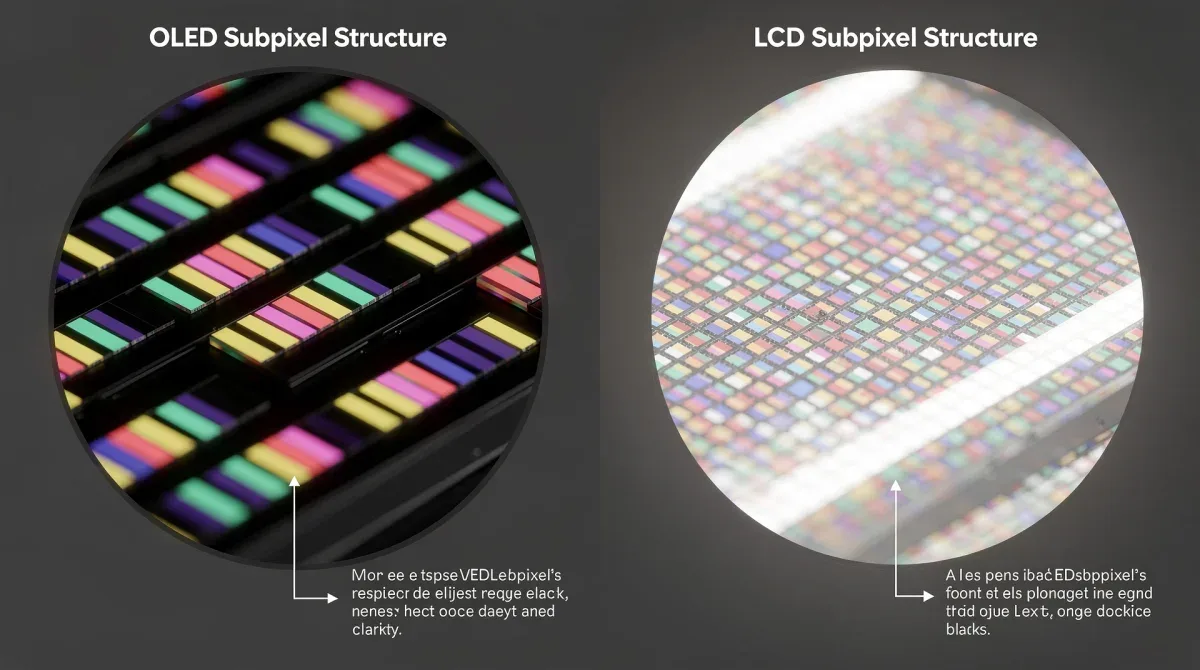
Beyond burn-in, another common concern for users considering OLED gaming monitors, particularly those who also use their display for productivity, is subpixel clarity and text rendering. Unlike the standard RGB stripe subpixel layout found in most LCD panels, many OLED monitors utilize alternative subpixel arrangements, such as WRGB (White-Red-Green-Blue) or triangular patterns.

These non-standard layouts can sometimes lead to visible color fringing around text or fine lines, especially when viewed up close. This phenomenon is often more noticeable to users accustomed to traditional RGB layouts, as operating systems and software are typically optimized for standard subpixel rendering.
Impact on productivity and daily use
For gamers, this might not be a major issue, as the vibrant graphics and motion clarity often overshadow any subtle text rendering quirks. However, for users who spend significant time reading text, coding, or performing graphic design work, the potential for fringing can be a point of contention. Some users report that text appears less sharp or slightly blurry compared to an equivalent LCD.
Software solutions, such as Windows ClearType, can help mitigate some of these effects by adjusting font rendering to better suit the specific subpixel layout. However, the effectiveness varies, and it may not completely eliminate the issue for all users or in all applications. Our testing included extensive periods of text-heavy work, including document editing and web browsing.
- Non-Standard Layouts: Many OLEDs use WRGB or triangular subpixel arrangements.
- Color Fringing: Can cause visible color halos around text and fine lines.
- Software Mitigation: Tools like ClearType can improve text rendering, but results vary.
- User Perception: Some users find text less sharp than on RGB LCDs.
During our 1,000 hours, we found that while text clarity was generally good, some users might perceive a slight difference compared to a traditional RGB LCD. It's often a matter of personal sensitivity and adaptation. For most gamers, the benefits of OLED's visual performance far outweigh this minor text rendering nuance, but it's an important factor for hybrid users to consider.
1,000 hours of real-world usage: findings and observations
Our comprehensive 1,000-hour evaluation aimed to provide practical insights into the daily performance and durability of an OLED gaming monitor under varied conditions. This extended test period allowed us to observe how the monitor handled different workloads, from intense gaming sessions to static desktop use and multimedia consumption.
During this time, the monitor was used for approximately 60% gaming, 30% productivity (web browsing, document editing, coding), and 10% media consumption (movies, streaming). We made a conscious effort to mimic real-world usage patterns rather than sterile lab conditions, including leaving static elements on screen for periods, albeit not excessively.
Gaming performance and immersion
In gaming, the monitor consistently delivered a breathtaking experience. The deep blacks and vibrant colors made every game world feel more immersive. Fast-paced titles benefited immensely from the near-instantaneous response times, eliminating motion artifacts and providing a competitive edge. The HDR performance was particularly impressive, bringing out incredible detail in both bright and dark scenes.
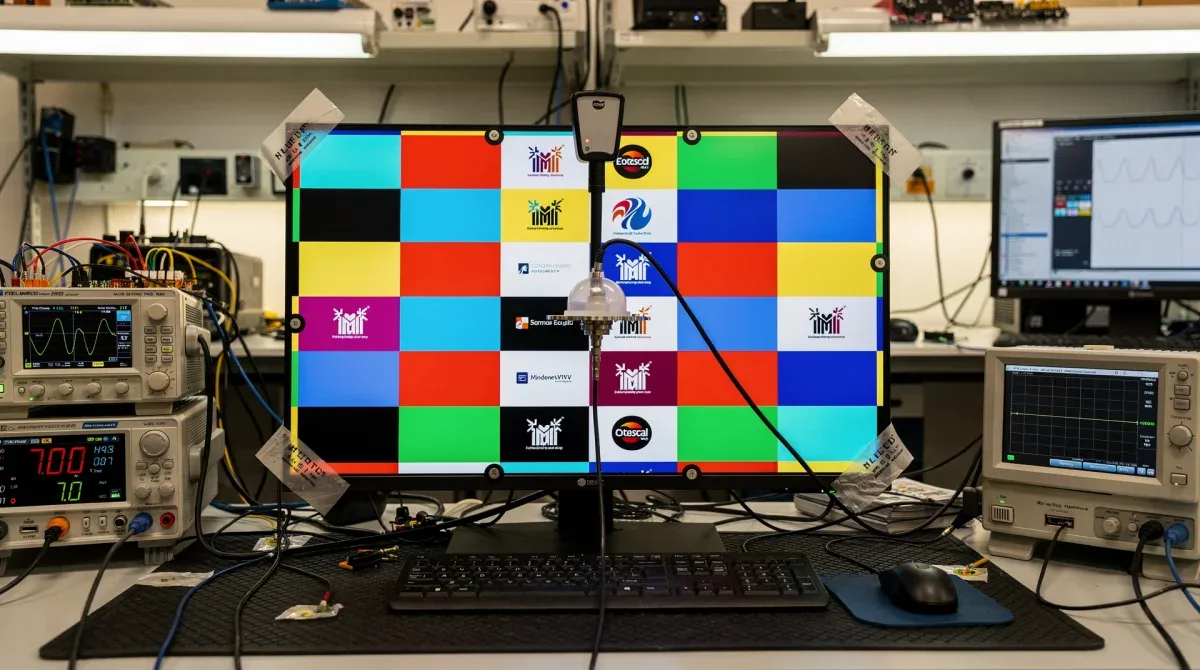
For productivity, the monitor performed adequately. While some users might notice the subpixel layout nuances with text, it was not a deal-breaker for general office tasks. Adjusting ClearType settings helped to optimize text rendering for our specific panel. The large screen real estate and excellent viewing angles were beneficial for multitasking.
- Gaming Experience: Immersive visuals, deep blacks, vibrant colors, and zero motion blur.
- Productivity: Good for general tasks, though text clarity may require minor adjustments.
- Media Consumption: Exceptional for movies and HDR content due to infinite contrast.
- No Burn-in: After 1,000 hours, no signs of permanent image retention were observed.
Crucially, after 1,000 hours, we found no evidence of burn-in or permanent image retention. This suggests that modern OLED panels, when used responsibly and with their built-in mitigation features, are robust enough for a demanding gaming and mixed-use environment. The monitor maintained its pristine image quality throughout the testing period, reinforcing confidence in its longevity.
Optimizing your OLED monitor for longevity
While modern OLED gaming monitors are significantly more resilient to burn-in, adopting a few best practices can further extend their lifespan and maintain optimal image quality. These tips are generally easy to implement and can provide peace of mind for users concerned about long-term degradation.
One of the simplest yet most effective measures is to hide desktop icons and the taskbar when not actively in use. Static elements like these are prime candidates for causing uneven pixel wear over time. Utilizing a dynamic or frequently changing wallpaper also helps distribute pixel usage more evenly across the screen.
Software and display settings adjustments
Most OLED monitors come with built-in features like pixel shifting, logo detection, and pixel refresh cycles. Ensure these are enabled in your monitor's OSD (On-Screen Display) settings. Running a manual pixel refresh periodically, as recommended by the manufacturer, can also help maintain pixel uniformity.
- Hide Static Elements: Minimize exposure of desktop icons, taskbars, and static UI.
- Dynamic Wallpapers: Use wallpapers that change frequently or are animated.
- Enable Monitor Features: Activate pixel shifting, logo detection, and pixel refresh.
- Use Auto-Hide: Set the taskbar to auto-hide to prevent constant display.
- Power Management: Utilize sleep modes and turn off the monitor when not in use.
Additionally, consider using a dark theme for your operating system and frequently used applications. Darker themes generally mean fewer bright, static pixels, reducing the overall stress on the OLED panel. When taking breaks, put your computer to sleep or turn off the monitor completely rather than leaving a static image on display. These small habits collectively contribute to the long-term health of your OLED monitor, ensuring you enjoy its stunning visuals for years to come.
The value proposition: is an OLED gaming monitor worth the investment?
Deciding if an OLED gaming monitor is a worthwhile investment boils down to balancing its premium cost against its unparalleled performance and your personal priorities. For many serious gamers and visual enthusiasts, the answer is a resounding yes, given the immersive experience and competitive advantages it offers.
The visual fidelity, characterized by infinite contrast, true blacks, and vibrant colors, creates a gaming experience that LCDs simply cannot match. The near-instantaneous response times eliminate motion blur, making fast-paced games incredibly fluid and responsive. These are tangible benefits that directly enhance gameplay and immersion.
Considering cost and alternatives
OLED gaming monitors typically command a higher price point than comparable high-end LCDs, such as IPS or VA panels. This premium reflects the advanced technology and superior image quality. However, as OLED production scales, prices are gradually becoming more accessible, making them a more viable option for a broader audience.
When weighing the investment, consider how much you value visual performance and responsiveness. If you primarily play competitive games where every millisecond counts, or if you crave the most cinematic and immersive single-player experiences, an OLED monitor delivers on those fronts like no other. For casual gamers or those with tighter budgets, high-refresh-rate LCDs still offer excellent performance at a lower cost.
- Unmatched Visuals: Infinite contrast, perfect blacks, and vibrant colors.
- Superior Performance: Near-instant response times for blur-free gaming.
- Premium Cost: Generally more expensive than high-end LCD alternatives.
- Longevity Confidence: Modern burn-in mitigation makes them more durable.
- Personal Preference: Value depends on individual priorities for gaming experience.
Our 1,000 hours of testing reinforced the notion that modern OLED gaming monitors are robust and deliver on their promise of exceptional performance without immediate burn-in concerns. While the subpixel clarity for text might be a minor consideration for heavy productivity users, it's largely overshadowed by the overall visual prowess for gaming. Ultimately, if you prioritize the absolute best image quality and responsiveness for gaming and are prepared for the investment, an OLED gaming monitor is indeed worth it.
Future of OLED in gaming and display technology
The trajectory of OLED technology in the gaming monitor space continues to evolve rapidly, promising even more sophisticated and durable displays in the years to come. Manufacturers are investing heavily in research and development, addressing current limitations and pushing the boundaries of what's possible with self-emissive pixels.
One area of significant focus is further enhancing burn-in resistance. While current mitigation techniques are effective, future generations of OLED panels are expected to incorporate more advanced materials and pixel designs that inherently reduce degradation. This could lead to even greater peace of mind for users, making burn-in a less prominent concern for long-term use.
Innovations in pixel structure and brightness
Improvements in subpixel structures are also on the horizon, aiming to improve text clarity and reduce potential fringing effects. This would make OLED monitors even more versatile, appealing to users who demand both top-tier gaming performance and impeccable text rendering for productivity. We might see more standardized subpixel layouts or more effective software optimizations specifically tailored for OLED panels.
- Enhanced Burn-in Resistance: New materials and pixel designs for greater longevity.
- Improved Text Clarity: Advancements in subpixel structures to optimize text rendering.
- Higher Brightness Levels: Future OLEDs may offer increased peak brightness for HDR content.
- New Form Factors: Flexible and rollable OLEDs could introduce innovative monitor designs.
- Energy Efficiency: Continued improvements in power consumption for eco-friendlier displays.
Furthermore, expect to see increases in peak brightness, allowing for even more impactful HDR content. While current OLEDs offer excellent HDR, brighter panels would further enhance dynamic range. The development of new form factors, such as flexible or even transparent OLEDs, could also open up exciting possibilities for gaming monitor designs. The future of OLED in gaming looks incredibly bright, with continuous innovation poised to deliver even more stunning and versatile displays.
| Key Aspect | Brief Evaluation |
|---|---|
| Visual Fidelity | Unparalleled with true blacks, infinite contrast, and vibrant colors. |
| Burn-In Risk | Significantly mitigated by modern tech; no signs after 1,000 hours. |
| Subpixel Clarity | Minor text fringing for some, but generally good with software tweaks. |
| Value Proposition | Premium investment justified by superior gaming experience. |
Frequently asked questions about OLED gaming monitors
Do OLED gaming monitors still suffer from burn-in?▼Modern OLED gaming monitors have significantly reduced burn-in risk through technologies like pixel shifting and refresh cycles. Our 1,000-hour test showed no signs of burn-in, suggesting that for typical mixed use and gaming, the risk is minimal with proper care and enabled mitigation features.
How does OLED subpixel clarity affect text?▼Due to non-standard subpixel layouts (e.g., WRGB), some OLED monitors may exhibit minor color fringing around text. While noticeable to some, it's often manageable with software like ClearType and generally not a major issue for gaming-focused users.
Are OLED gaming monitors worth the higher price?▼For enthusiasts prioritizing the absolute best visual fidelity, infinite contrast, vibrant colors, and instantaneous response times, OLED gaming monitors are generally worth the premium. They offer an unparalleled immersive and responsive gaming experience that LCDs cannot replicate.
What are the key advantages of OLED over LCD for gaming?▼OLED offers true blacks, infinite contrast ratios, superior color vibrancy, and near-instantaneous pixel response times. These features lead to a more immersive gaming experience with no motion blur, providing a significant upgrade over traditional LCD panels.
What steps can I take to prevent OLED burn-in?▼To prevent burn-in, hide static desktop elements like icons and taskbars, use dynamic wallpapers, enable monitor-specific burn-in prevention features (pixel shifting, refresh), and turn off the monitor when not in use. These practices help distribute pixel wear evenly.
Conclusion
Our extensive 1,000-hour evaluation of an OLED gaming monitor has provided crucial insights into its real-world performance and longevity. The dazzling visuals, characterized by infinite contrast and vibrant colors, coupled with near-instantaneous response times, solidify OLED's position as a premier choice for serious gamers seeking the ultimate immersive experience. While the historical concern of burn-in has been largely mitigated by modern technological advancements, and subpixel clarity for text remains a minor consideration for some, these factors are often overshadowed by the overwhelming benefits. For those willing to invest in a truly transformative gaming display, the evidence suggests that OLED gaming monitors are not just worth it, but represent the pinnacle of current display technology for gaming.
