USB4 2.0 vs. Thunderbolt 5 for Dual 8K Displays
The choice between USB4 2.0 and Thunderbolt 5 for dual 8K display setups hinges on specific system integration, device compatibility, and the required bandwidth management for high-resolution, high-refresh-rate applications.
Navigating the world of high-speed connectivity can often feel like a race against time, especially when dealing with cutting-edge display technologies. The emergence of USB4 2.0 Thunderbolt 5 standards, both promising an impressive 80Gbps bandwidth, has brought a new level of complexity to choosing the right interface for demanding setups, particularly those involving dual 8K displays. This article delves into the nuances of each standard, helping you understand which one is best suited for your high-resolution needs.
Understanding the 80Gbps Landscape
The leap to 80Gbps in connectivity standards marks a significant milestone, enabling more data-intensive applications and higher resolution displays than ever before. Both USB4 2.0 and Thunderbolt 5 are at the forefront of this evolution, offering unprecedented speeds that promise to revolutionize how we interact with our devices and external displays. However, while they share the same peak bandwidth, their underlying architectures and specific implementations differ, leading to distinct advantages and considerations for users.
Achieving 80Gbps is not merely about raw speed; it's about how that bandwidth is allocated and managed across various data streams, including video, power delivery, and general data transfer. For dual 8K display setups, this allocation becomes critically important. A standard might boast high overall bandwidth, but if it cannot efficiently prioritize and deliver the necessary video data to two ultra-high-resolution monitors simultaneously, its effectiveness for such a demanding task diminishes. Therefore, understanding the technical specifications beyond just the headline speed is crucial for making an informed decision.
The Evolution of Connectivity Standards
Connectivity standards have continuously evolved to meet the increasing demands of modern computing. From early USB versions to the current iteration of Thunderbolt, each generation has brought improvements in speed, power delivery, and versatility. These advancements are driven by the need to support more powerful peripherals, faster storage solutions, and, crucially, higher resolution displays. The transition to 8K displays, especially in a dual-monitor configuration, pushes the boundaries of what current interfaces can comfortably handle, making the 80Gbps standards particularly relevant.
- USB's Journey: USB has progressed from its initial low-speed data transfer capabilities to a multi-faceted standard supporting data, video, and power. USB4 2.0 represents the pinnacle of this evolution, bringing USB into direct competition with Thunderbolt in terms of raw bandwidth.
- Thunderbolt's Innovation: Developed by Intel, Thunderbolt has always focused on high-performance, offering a blend of PCIe, DisplayPort, and USB data over a single cable. Thunderbolt has traditionally been seen as the premium, high-end solution, often integrated into professional-grade devices.
- Convergence and Divergence: While both standards are converging on similar performance metrics, their philosophical approaches and ecosystem compatibility remain distinct. USB4 2.0 aims for broad compatibility, while Thunderbolt 5 continues to prioritize a premium, integrated experience.
In conclusion for this section, the 80Gbps threshold signifies a new era for connectivity, but the devil is in the details of how each standard achieves and manages this speed. For users considering dual 8K display setups, a deeper dive into the technical specifics of USB4 2.0 and Thunderbolt 5 is essential to ensure optimal performance and compatibility.
USB4 2.0: The Universal Contender
USB4 2.0 represents the latest iteration of the universal serial bus standard, pushing its capabilities further than ever before. With its ability to achieve 80Gbps, it aims to provide a robust and versatile solution for a wide range of devices, including those requiring high-resolution display support. The core philosophy behind USB has always been broad compatibility and accessibility, and USB4 2.0 continues this tradition, striving to offer high performance without proprietary restrictions.
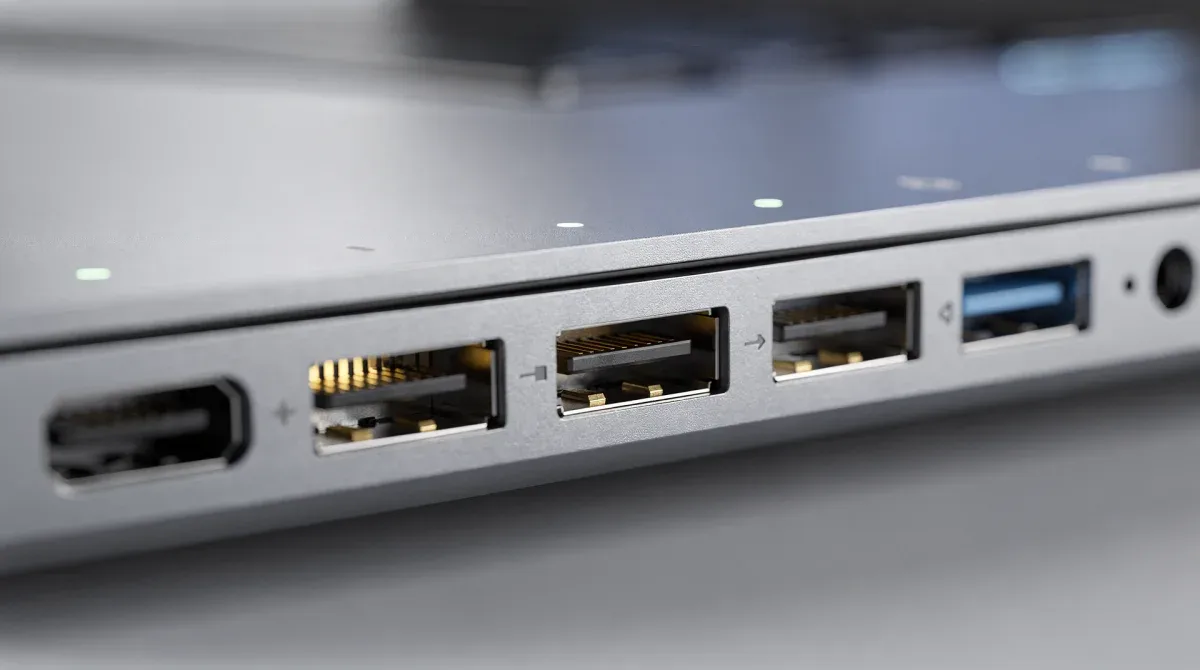
One of the key aspects of USB4 2.0 is its reliance on the USB-C connector, which has become ubiquitous across modern computing devices. This widespread adoption means that devices supporting USB4 2.0 will likely be able to connect with a vast ecosystem of existing peripherals and cables, simplifying connectivity for many users. However, achieving the full 80Gbps bandwidth typically requires specific certified cables, which might not be immediately obvious or universally available.
Dynamic Bandwidth Allocation
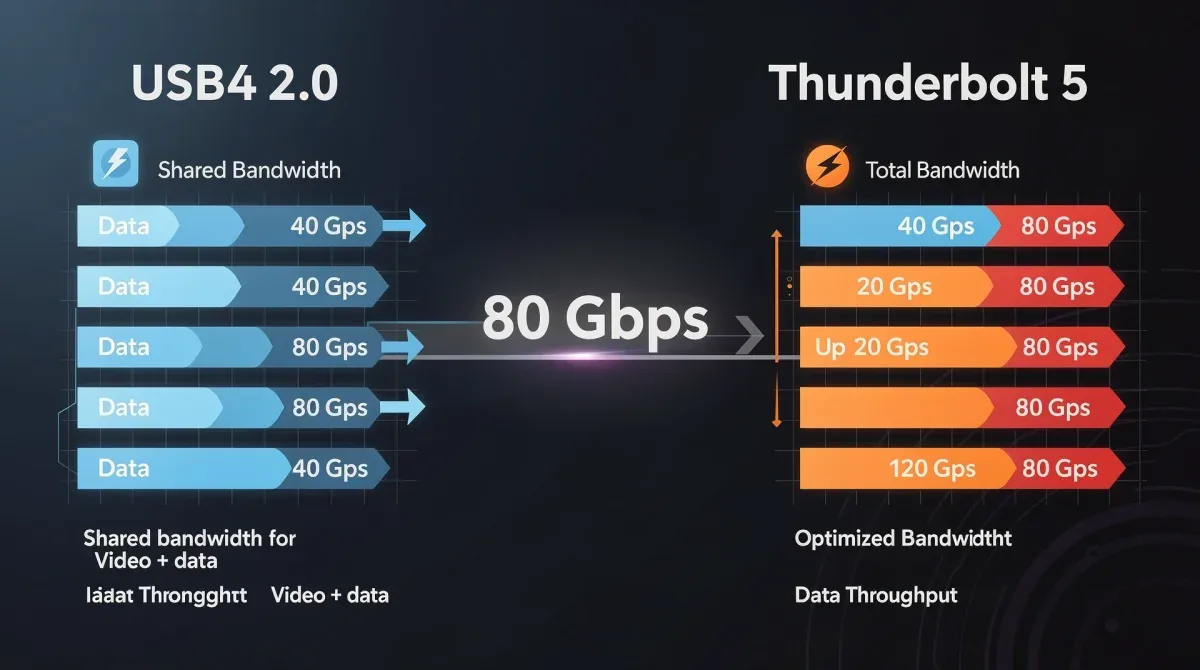
A significant feature of USB4 2.0, particularly relevant for display setups, is its dynamic bandwidth allocation. This means that the 80Gbps bandwidth can be intelligently distributed between data transfer and display output, adapting to the needs of the connected devices. For example, if you are primarily using external displays, more bandwidth will be allocated to video signals. If you are transferring large files, more bandwidth will be dedicated to data. This flexibility is a powerful advantage, but it also introduces a layer of potential variability in performance.

- DisplayPort Alt Mode 2.1: USB4 2.0 leverages DisplayPort Alt Mode 2.1 to carry video signals. This integration allows for high-resolution, high-refresh-rate output over the USB-C connection, making it suitable for 8K displays.
- Symmetric and Asymmetric Modes: The standard supports both symmetric 80Gbps operation (40Gbps in each direction) and an asymmetric mode that can provide up to 120Gbps in one direction while maintaining 40Gbps in the other. This asymmetric mode is particularly beneficial for display-heavy tasks, where a vast amount of data flows from the host to the displays.
- Power Delivery: Alongside data and video, USB4 2.0 continues to support USB Power Delivery (USB PD), allowing devices to be charged and powered through the same cable. This simplifies cable management and reduces the need for separate power adapters for many peripherals.
In summary, USB4 2.0 offers a compelling package of speed, versatility, and broad compatibility. Its dynamic bandwidth allocation and support for high-resolution video make it a strong contender for dual 8K display setups, especially for users who value flexibility and an open standard. The challenge lies in ensuring that all components in the chain – host device, cable, and displays – are fully compliant and capable of leveraging its full potential.
Thunderbolt 5: The Performance Powerhouse
Thunderbolt 5, developed by Intel, builds upon the legacy of its predecessors, pushing the boundaries of what's possible with a single cable connection. While also achieving 80Gbps, Thunderbolt 5 often differentiates itself through its guaranteed performance, integrated capabilities, and a focus on premium user experiences. It's typically found in high-end laptops, workstations, and motherboards, catering to professionals and enthusiasts who demand the utmost in speed and reliability.
A key characteristic of Thunderbolt is its direct integration of PCIe, DisplayPort, and USB protocols into a single, cohesive standard. This integration ensures that devices connected via Thunderbolt can simultaneously access high-speed storage, multiple displays, and various USB peripherals without significant bottlenecks. For dual 8K display setups, this integrated approach can offer a more predictable and robust experience compared to standards that rely on dynamic allocation or alternate modes.
Bandwidth Boost and Display Focus
Thunderbolt 5 introduces a feature called 'Bandwidth Boost,' which allows for an asymmetric data flow, providing up to 120Gbps in one direction and 40Gbps in the other. This is particularly advantageous for display-centric workflows, where a vast amount of data needs to be sent from the host device to external monitors. This dedicated video bandwidth ensures that even the most demanding dual 8K setups can operate smoothly, without compromising other data transfers.
- PCIe Gen 4 Support: Thunderbolt 5 incorporates PCIe Gen 4, doubling the available PCIe bandwidth compared to Thunderbolt 4. This is crucial for connecting high-performance external GPUs, NVMe SSDs, and other demanding peripherals that require maximum data throughput.
- DisplayPort 2.1 Integration: Like USB4 2.0, Thunderbolt 5 utilizes DisplayPort 2.1, providing native support for incredibly high resolutions and refresh rates. This direct integration is a significant factor in its ability to handle dual 8K displays with ease.
- Backward Compatibility: Thunderbolt 5 maintains full backward compatibility with previous Thunderbolt generations, as well as USB4 and USB 3.x devices. This ensures a seamless transition for users upgrading their hardware and allows for continued use of existing peripherals.
In conclusion, Thunderbolt 5 positions itself as the uncompromising choice for users who prioritize peak performance and a tightly integrated experience. Its dedicated bandwidth for displays, coupled with robust PCIe and USB capabilities, makes it an ideal solution for professionals working with dual 8K display setups, content creation, and other high-bandwidth applications where reliability and consistent performance are paramount.
Dual 8K Display Setups: The Bandwidth Challenge
Driving dual 8K displays simultaneously is one of the most demanding tasks any connectivity standard can face. An 8K resolution (7680 x 4320 pixels) at a typical refresh rate of 60Hz requires an immense amount of bandwidth for each display. When you double that, the aggregate bandwidth requirement quickly approaches, and in some cases exceeds, the 80Gbps theoretical limit of both USB4 2.0 and Thunderbolt 5.
The challenge isn't just about the raw pixel count; it also involves color depth, refresh rate, and any additional data streams running concurrently. For instance, if you're aiming for higher refresh rates (e.g., 120Hz or more for gaming or professional video editing), the bandwidth demands escalate dramatically. Therefore, the efficiency with which each standard compresses video data (if at all) and allocates available bandwidth becomes a critical differentiator.
Video Compression and Display Stream Compression (DSC)
To handle the massive data requirements of dual 8K displays, both USB4 2.0 and Thunderbolt 5 rely on Display Stream Compression (DSC). DSC is a visually lossless compression technology that significantly reduces the bandwidth needed for high-resolution video signals. Without DSC, achieving dual 8K at 60Hz would be virtually impossible with an 80Gbps interface.
- Necessity of DSC: DSC is not optional for these demanding setups. It's a fundamental component that allows the 80Gbps bandwidth to stretch far enough to accommodate the pixel data from two 8K screens.
- Impact on Quality: While DSC is considered 'visually lossless,' some purists may detect minute differences in extremely specific scenarios. However, for the vast majority of users, the quality remains indistinguishable from uncompressed video.
- Implementation Consistency: The effectiveness of DSC depends on consistent implementation across the entire display chain, from the source device to the cable and the displays themselves. Any weak link can compromise the overall performance.
In conclusion, managing dual 8K displays is a severe test of any interface. Both USB4 2.0 and Thunderbolt 5 leverage DSC to make this feat possible within their 80Gbps envelopes. The success of such a setup hinges not just on the standard itself, but also on the quality of implementation and the capabilities of all connected hardware.
Key Differences and Practical Implications
While both USB4 2.0 and Thunderbolt 5 offer 80Gbps bandwidth and support DisplayPort 2.1 with DSC, their underlying architectures and ecosystems lead to several practical differences that can influence your choice. Understanding these distinctions is crucial for identifying which standard better aligns with your specific needs and existing hardware.
One of the most significant distinctions lies in their origins and target markets. USB4 2.0 is an open standard, driven by the USB Implementers Forum (USB-IF), aiming for broad adoption and compatibility across a wide range of devices. Thunderbolt 5, on the other hand, is an Intel-developed technology, often seen as a premium feature that guarantees a certain level of performance and integration, particularly with PCIe devices.
Host Support and Device Ecosystem
The availability of host devices (laptops, desktops) and peripherals (docks, external GPUs, displays) that fully support either standard is a major practical consideration. Thunderbolt has historically had a more curated ecosystem, with devices often undergoing stringent certification processes. USB4 2.0, being an open standard, might see broader but potentially more varied levels of implementation.
- USB4 2.0 Ecosystem: Expect wider adoption across a broader range of consumer devices, potentially at more accessible price points. However, ensuring a device fully leverages the 80Gbps and asymmetric modes might require careful checking of specifications.
- Thunderbolt 5 Ecosystem: Likely to be found in higher-end, performance-oriented machines. The Thunderbolt certification program generally ensures a consistent and high-quality user experience, particularly for complex setups involving multiple peripherals and displays.
- Cable Requirements: Both standards will require active cables for the full 80Gbps bandwidth over longer distances. While USB-C cables are physically compatible, not all will support the highest speeds of either USB4 2.0 or Thunderbolt 5.
In summary, the practical implications boil down to compatibility, guaranteed performance, and cost. If you prioritize broad compatibility and potentially lower costs, USB4 2.0 might be sufficient. If you need guaranteed top-tier performance, especially with PCIe peripherals and complex multi-display setups, Thunderbolt 5 offers a more integrated and reliable solution.
Performance for Dual 8K Displays: A Closer Look
When it comes to the specific task of driving dual 8K displays, both USB4 2.0 and Thunderbolt 5 are technically capable, but their approaches to bandwidth management and their respective ecosystems can lead to different real-world experiences. The key lies in how effectively each standard allocates its 80Gbps (or 120Gbps in asymmetric mode) to video data while still accommodating other necessary data streams.
Thunderbolt 5's 'Bandwidth Boost' feature, which can push up to 120Gbps in one direction, provides a clear advantage for display-heavy tasks. This dedicated upstream bandwidth means that even with two 8K displays requiring significant data, there's still ample room for other data transfers without compromising video quality or refresh rates. This makes it particularly attractive for creative professionals who rely on maximum visual fidelity and responsiveness.
Real-World Scenarios and Considerations
Consider a scenario where you're running two 8K monitors at 60Hz, while simultaneously transferring large files to an external NVMe SSD and using several USB peripherals. In this situation, the ability to prioritize and dedicate bandwidth efficiently becomes paramount. Thunderbolt 5, with its integrated PCIe and DisplayPort capabilities, offers a more robust and predictable performance profile for such complex workloads.
- Gaming and High Refresh Rates: For gamers or professionals requiring high refresh rates on 8K displays, Thunderbolt 5's higher dedicated display bandwidth (120Gbps asymmetric) could provide a smoother, more responsive experience, especially if other data-intensive tasks are running concurrently.
- Content Creation: Video editors and graphic designers working with uncompressed 8K footage will benefit from the consistent and high-speed data transfer capabilities of Thunderbolt 5, ensuring that both displays receive their necessary bandwidth without latency.
- General Productivity: For users primarily focused on productivity tasks with dual 8K monitors, USB4 2.0, especially with an asymmetric bandwidth configuration, will likely be more than sufficient. The slight differences in peak performance might not be noticeable in everyday use.
In conclusion, for critical applications like high-refresh-rate gaming or professional content creation with dual 8K displays, Thunderbolt 5's dedicated bandwidth and integrated architecture offer a more predictable and potentially superior experience. For general productivity and scenarios where cost and broad compatibility are higher priorities, USB4 2.0 provides a highly capable and versatile alternative.
Future-Proofing Your Setup
Investing in high-end display technology and connectivity standards means considering not just current needs but also future requirements. Both USB4 2.0 and Thunderbolt 5 are designed with future scalability in mind, but their respective roadmaps and underlying technologies offer different long-term prospects. Understanding these can help you make a choice that will serve you well for years to come.
The rapid evolution of display technology suggests that even higher resolutions and refresh rates are on the horizon. While 8K is currently at the bleeding edge, 16K displays or even higher refresh rates for 8K are not entirely out of the question in the distant future. Therefore, choosing an interface that has the architectural headroom to adapt to these advancements is a wise decision.
Technological Longevity and Adaptability
Thunderbolt, with its direct integration of PCIe, has historically offered a more direct path to incorporating future high-speed protocols and devices. Its architecture is built around providing a high-performance tunnel for multiple data types, which gives it a certain degree of inherent future-proofing against evolving standards. This is particularly relevant for external GPU enclosures and high-speed storage devices.
- USB4 2.0's Adaptability: As an open standard, USB4 2.0's evolution will be driven by consensus within the USB-IF. Its adaptability lies in its broad adoption and the potential for a wide array of compliant devices to emerge, offering flexibility in choice.
- Thunderbolt 5's Scalability: Thunderbolt's tightly integrated approach, especially with PCIe, provides a strong foundation for future upgrades. As PCIe generations advance, Thunderbolt can more readily incorporate those speed improvements, ensuring continued high performance for demanding peripherals.
- Software and Driver Support: The maturity of software and driver support for both standards will also play a role in their long-term viability. A robust ecosystem with consistent updates and broad compatibility will ensure a smoother user experience as technology progresses.
In conclusion, for future-proofing, both standards offer compelling arguments. Thunderbolt 5's deep integration with PCIe and its history of leading-edge performance might offer a more robust path for accommodating future high-bandwidth peripherals. USB4 2.0, with its open standard and broad adoption, offers a flexible and widely compatible foundation that will likely continue to evolve with the broader tech landscape. The best choice depends on whether your priority is a tightly controlled, high-performance ecosystem or a more open and widely adopted standard.
| Feature | Description |
|---|---|
| Max Bandwidth | Both achieve 80Gbps, with asymmetric modes reaching 120Gbps in one direction. |
| Dual 8K Display Support | Both support dual 8K via DisplayPort 2.1 and DSC. |
| PCIe Integration | Thunderbolt 5 offers dedicated PCIe Gen 4; USB4 2.0 uses shared bandwidth. |
| Ecosystem | USB4 2.0 is an open standard; Thunderbolt 5 is Intel-curated and premium. |
Frequently Asked Questions About 80Gbps Interfaces
What is the primary advantage of 80Gbps connectivity?▼The main advantage is significantly increased bandwidth, enabling support for multiple high-resolution displays, faster external storage, and more complex peripheral setups simultaneously. This is crucial for applications like dual 8K monitors and high-speed data transfers.
Can USB4 2.0 and Thunderbolt 5 cables be used interchangeably?▼Physically, they both use the USB-C connector, so cables are often interchangeable for basic functions. However, to achieve the full 80Gbps bandwidth and specific features like asymmetric data flow, you will need certified cables designed for the respective standard. Always check cable specifications.
Is Display Stream Compression (DSC) necessary for dual 8K displays?▼Yes, DSC is essential. Without it, the raw bandwidth required for two 8K displays at standard refresh rates would exceed the 80Gbps limit of both USB4 2.0 and Thunderbolt 5. DSC is a visually lossless compression technology that makes these high-resolution setups feasible.
Which standard is better for external GPUs and high-speed SSDs?▼Thunderbolt 5, with its dedicated PCIe Gen 4 integration, generally offers superior performance for external GPUs and high-speed NVMe SSDs. This direct PCIe tunnel ensures lower latency and higher sustained throughput compared to USB4 2.0's shared bandwidth approach.
What should I consider when choosing between USB4 2.0 and Thunderbolt 5?▼Consider your host device's compatibility, the importance of guaranteed performance, your budget, and the types of peripherals you'll connect. Thunderbolt 5 offers premium, integrated performance, while USB4 2.0 provides broad compatibility and flexibility for most high-resolution needs.
Conclusion
The competition between USB4 2.0 and Thunderbolt 5 in the 80Gbps arena offers exciting prospects for users seeking to maximize their display setups, particularly those involving dual 8K monitors. While both standards are technically capable of handling such demanding tasks, their distinct philosophies and architectural approaches lead to different strengths. Thunderbolt 5, with its integrated PCIe and dedicated bandwidth boost for displays, often presents a more robust and predictable solution for professionals and enthusiasts requiring uncompromised performance and reliability. USB4 2.0, as an open standard, offers broad compatibility and flexibility, making it an excellent choice for a wider range of users who value versatility and potentially more accessible hardware. Ultimately, the best choice hinges on a careful evaluation of your specific workflow, existing ecosystem, and long-term technological aspirations. Both represent significant leaps forward in connectivity, paving the way for even more immersive and productive computing experiences.
